Features
Everything Lorebound does, and nothing it doesn’t.
A catalogue for the manga on your shelf. Here’s how it works, screen by screen.
01 Track
Every volume you own, and every one you don’t
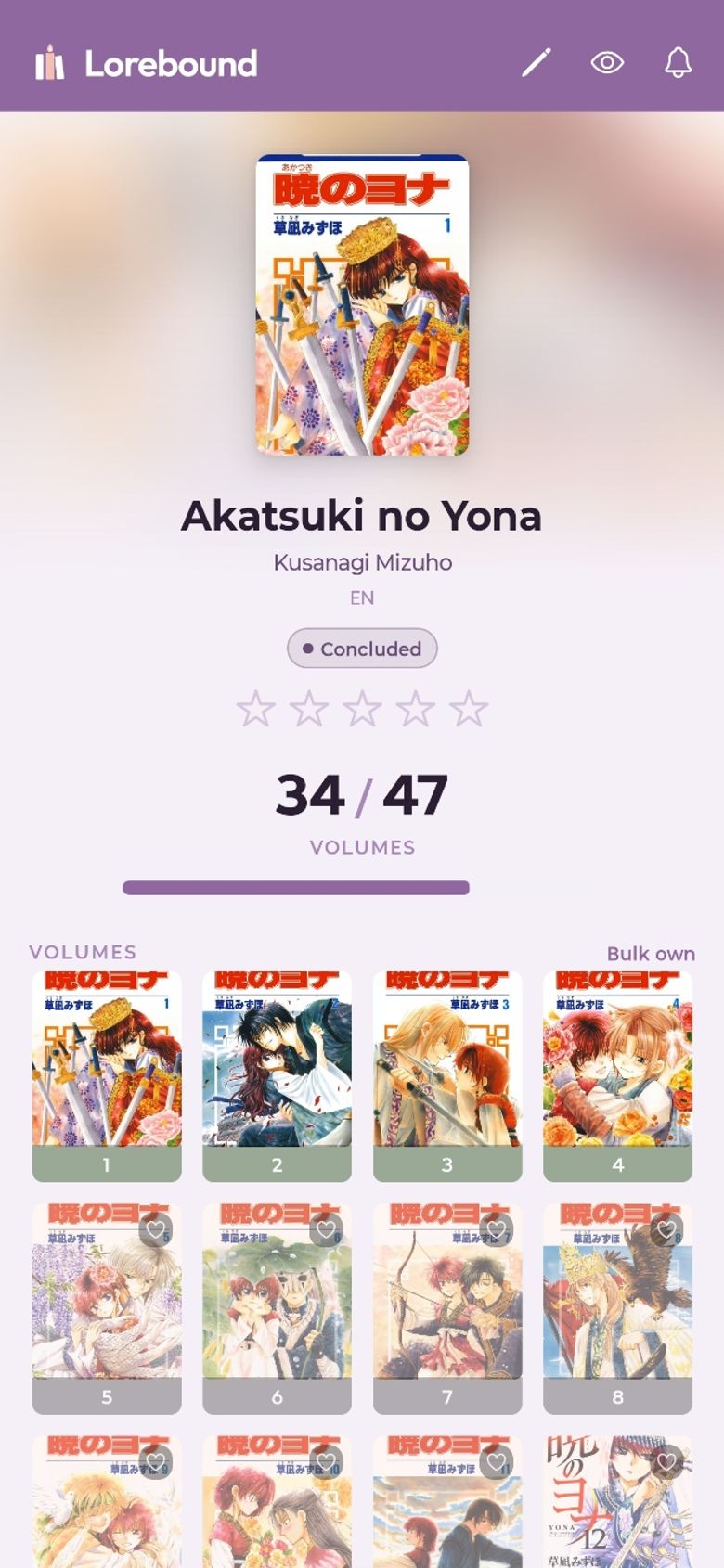
Open a series and the whole run is laid out as a grid of covers. Owned volumes are in full colour; the gaps are dimmed, so the volume you’re missing is the first thing you see.
- Scan a barcode
- Point the camera at an ISBN barcode and the book is added with its cover, series and volume number filled in.
- Volume grid
- Tap a volume to mark it owned. A counter and progress bar show how far through the run you are.
- Buy what’s missing
- A series with gaps shows “Missing N · Find on Bookshop.org”. Tap it for a list of every missing volume, each linking straight to that volume on Bookshop.org — or to the Lorebound shop there when the exact edition can’t be matched. Free for everyone; the links are affiliate links.
- Collection completion
- The library dashboard totals your series, volumes and completed runs, and how many volumes are left to collect.
- New volume badges
- When an ongoing series you collect gets a new volume, the series is flagged “New” in your library.
- Out of print and dropped
- Flag a series as out of print or dropped, and filter your library by either.
- Editions as their own runs
- Deluxe, omnibus and box-set editions are tracked as separate series with their own volume counts, and search surfaces those editions alongside the original.
- Can’t find it? Add it yourself
- If a book isn’t in any catalogue, add it by hand as a series or a standalone.
02 Organise
A big shelf that stays easy to find things on
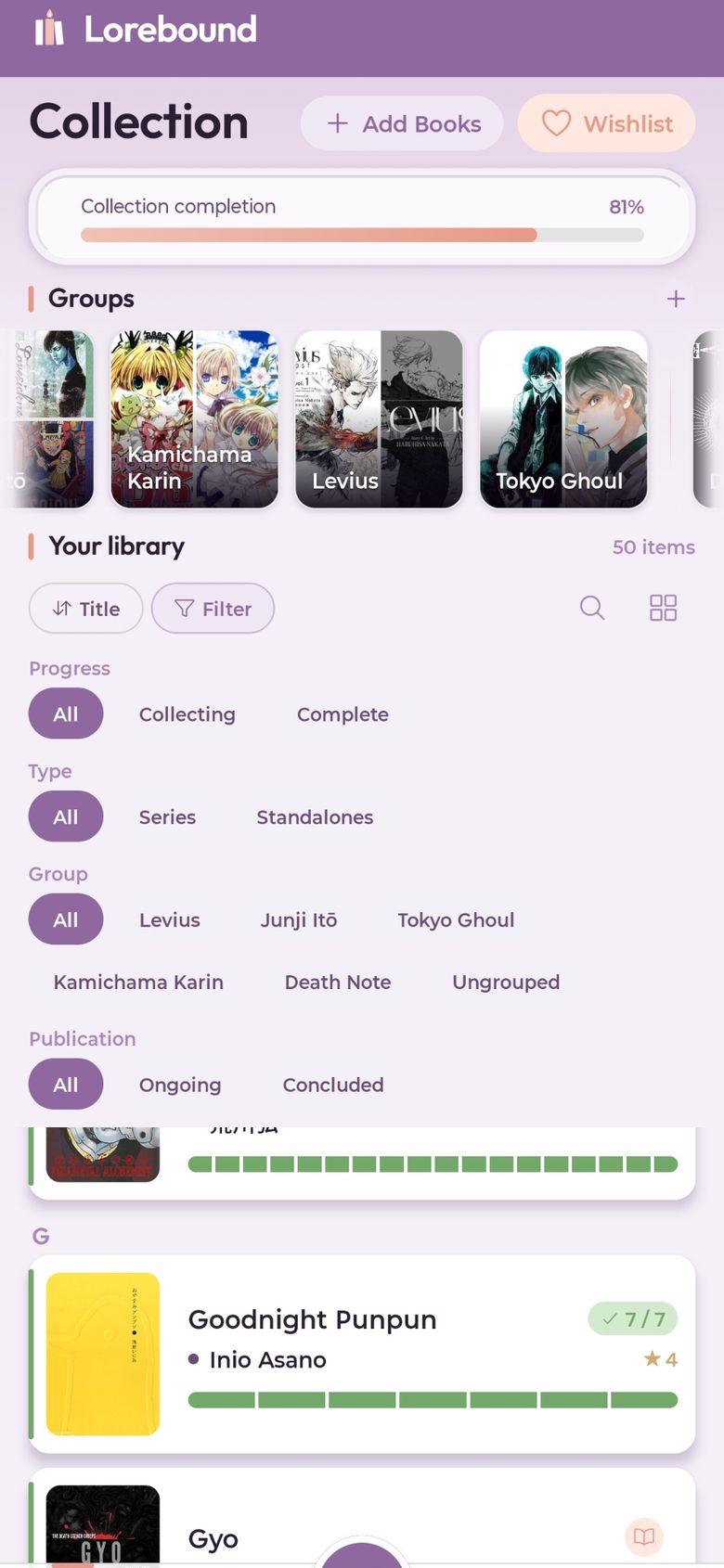
Sort, filter and group a library of any size. Lorebound only offers the filters your collection can actually use.
- Sort six ways
- Title, author, date added, rating, series length, or how many volumes are missing.
- Filter
- By progress, by series or standalone, by group, by publication status, and by flags like out of print.
- Groups
- Collect series into groups — by franchise, by author, or however you shelve them.
- Search, list or grid
- Search your whole library, and switch between a detailed list and a cover grid.
- Ratings, pins and favourites
- Rate series out of five, pin the ones you’re collecting now, and choose up to four favourites for your profile.
03 Share
Show the shelf, and what you’re still hunting for
Turn your collection into an image you can post anywhere, keep a wishlist, and see what your friends collect.
- Share image
- Arrange your covers and export a share-ready image of your collection. Free for everyone.
- WishlistPRO
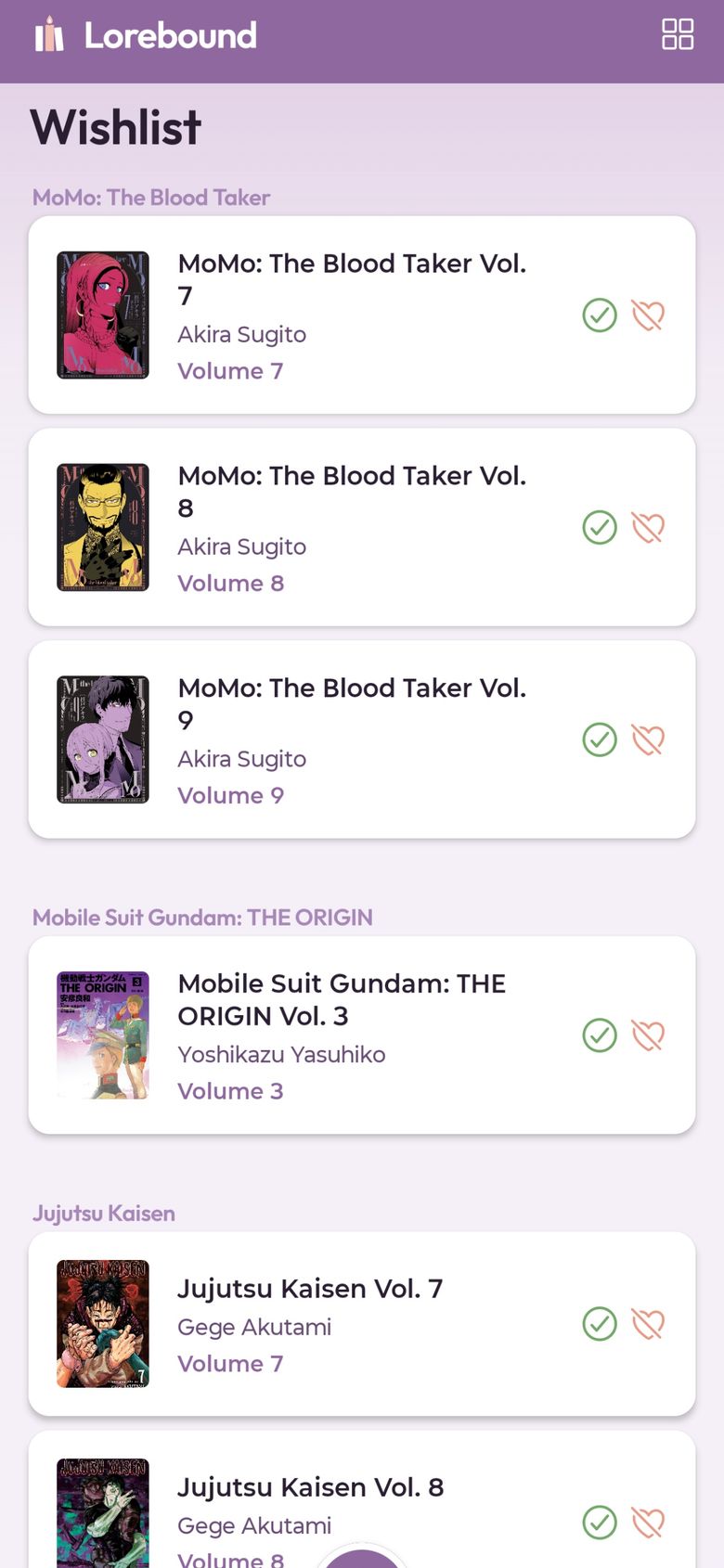
- Keep track of the volumes you’re still hunting, let friends see it, and buy any of them on Bookshop.org in one tap.
- FriendsPRO
- Add friends by username and browse their collections and wishlists — shown in their own colour theme.
- LoansPRO
- Lend a volume out and remember who has it.
04 Keep
Your collection, on every device
Sign in and your library syncs across your phones and tablets. Lose a phone and your collection is still there. Or use Lorebound as a guest, with everything kept on the device.
- Sync
- Your library, groups and wishlist sync to your account and back to any device you sign in on.
- Guest mode
- No account needed to start. Create one later and your guest library comes with you.
- Light and dark
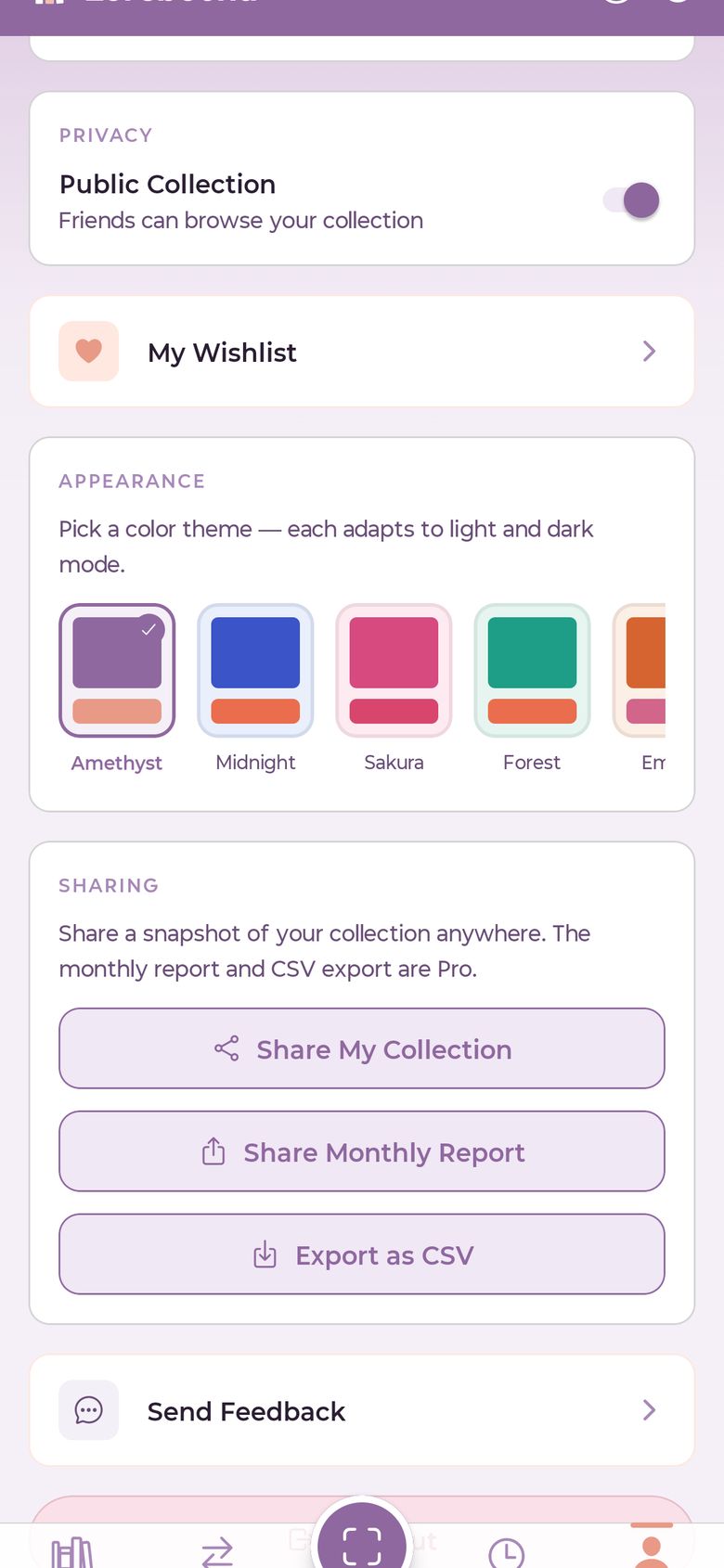
- Every theme comes in a light and a dark version.
- Colour themesPRO
- Fifteen extra palettes beyond the default Amethyst.
- Batch scan and bulk addPRO
- Scan a whole stack in one sitting, or add a series’ volumes in one go.
- CSV export and monthly reportsPRO
- Take your whole collection anywhere as a spreadsheet, or share a monthly snapshot.
Is Lorebound free?
Yes. Scanning, your library, volume tracking, ratings and sync are free. Lorebound Pro is a single one-time purchase for extras like wishlists, friends, loans, batch scanning and colour themes. It is not a subscription.
Does Lorebound track chapters I’ve read?
No. Lorebound tracks the physical books you own. It doesn’t stream, host or track reading of manga chapters.
Is it only for manga?
It’s built around manga series and their volumes, and anything with an ISBN barcode can be scanned in — light novels, comics and graphic novels included. Books that aren’t in any catalogue can be added by hand.
Do I need an account?
No. You can use Lorebound as a guest, with your collection stored only on your device. Create an account to sync across devices; your guest library comes with you.
Can I buy the volumes I’m missing through Lorebound?
Lorebound doesn’t sell books, but it links you to where you can buy them. Missing volumes, unowned books and wishlist items link to Bookshop.org — straight to the volume when the edition can be matched, otherwise to the Lorebound shop on Bookshop.org. These are affiliate links: Lorebound may earn a commission, at no extra cost to you.
Is there an iPhone version?
Not at the moment. Lorebound is available for Android on Google Play.